You built the website.
Then published the pages.
You searched your business name on Google.
And then came the frustrating part:
Nothing.
Or perhaps your website appears, but not for the searches that actually matter to your business.
It’s easy to assume that Google is simply ignoring your website. But “not showing up on Google” can mean several different things.
Your page might not be indexed yet. Google might not understand what the page is about. There could be a technical issue preventing crawling. Or your page may be indexed but simply not competitive enough for the search you’re targeting.
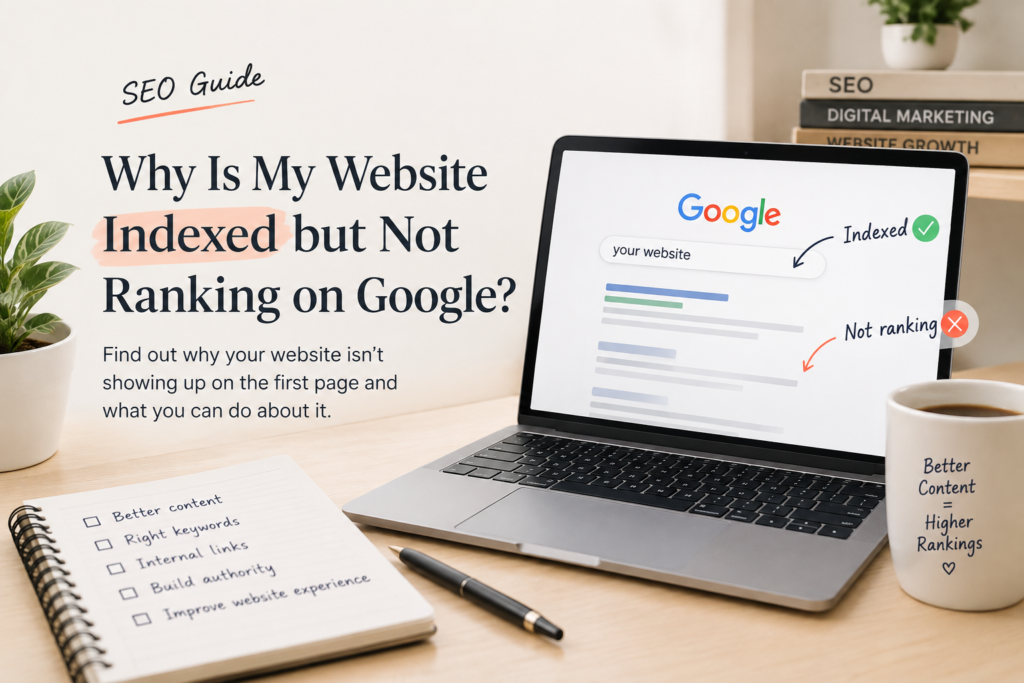
If your website isn’t showing on Google, the first thing to check is whether Google has indexed it. Your website may be missing from search because Google hasn’t discovered or indexed the page, your site may be blocking crawlers, or the page may be indexed but not ranking well enough to appear prominently.
The good news?
You don’t have to guess.
“If you’re wondering why a website can struggle to get organic traffic, I’ve explored some of the common reasons in Why Most Websites Never Get Organic Traffic (And How to Fix It).”
Here are 10 things I would check before assuming your website has an SEO problem.
1. First, Check Whether Google Has Indexed Your Website
Before worrying about rankings, find out whether Google knows your page exists.
A simple starting point is to search Google for:
site:yourwebsite.com
This can give you an idea of whether pages from your domain are appearing in Google’s index.
For a more reliable diagnosis, use Google Search Console and inspect the specific URL.
Google’s documentation recommends using Search Console to understand how Google sees your pages and to troubleshoot indexing issues.
There’s an important difference here:
Not indexed ≠ poorly ranked.
In case, a page isn’t indexed, changing its keywords or adding more backlinks won’t solve the underlying indexing problem.
If site:yourwebsite.com shows your pages: your site is likely indexed, so the problem may be ranking rather than indexing.
If it shows nothing: use Google Search Console’s URL Inspection tool to investigate whether the page is indexed.
As a freelance website designer, I’ve learned that creating a website is only one part of the process. If the website isn’t properly indexed, even excellent website design won’t help it appear in Google search results.
2. Make Sure You’re Not Accidentally Blocking Google
Sometimes the problem is surprisingly simple.
A website can contain instructions that prevent search engines from crawling or indexing certain pages.
Two things worth checking are:
- robots.txt
- noindex directives
This can happen accidentally during development, redesigns, migrations, or technical updates.
Google specifically advises site owners to check for unwanted noindex rules and robots.txt restrictions when pages aren’t appearing in Search.
If a page is meant to appear in Google, make sure you haven’t unintentionally told Google otherwise.
3. Submit Your Sitemap
A sitemap gives search engines a list of important URLs on your website.
It doesn’t guarantee rankings—and it doesn’t magically force Google to index every URL.
But it can help Google discover your pages.
If you have a website with several important pages, make sure your sitemap is correctly generated and submitted through Search Console.
This becomes particularly important after launching a new website or making significant URL changes. Google recommends submitting an updated sitemap when new URLs need to be discovered.
4. Ask Yourself: “What Would Someone Search to Find This Page?”
This is where SEO becomes less technical and more strategic.
Imagine you have a page describing your website design service.
Does the page clearly communicate what you offer?
Or does it simply say things like:
“We create innovative digital experiences for modern businesses.”
It sounds professional.
But what does it actually tell Google—or a potential customer?
Compare that with a clearer message:
“Freelance website designer helping small businesses create professional, user-friendly websites.”
The second version immediately communicates the subject.
Your page should make it easy for both people and search engines to understand what the page is actually about.
5. Don’t Choose Keywords Just Because They Have High Search Volume
One of the biggest SEO mistakes is chasing keywords simply because they look attractive in a keyword tool.
A keyword can have thousands of searches and still be completely wrong for your business.
Instead, ask:
What is the person searching for actually trying to accomplish?
Someone searching:
“how to create a website”
has a very different intention from someone searching:
“freelance website designer for small business.”
One may want information.
The other may be looking for a service.
Understanding search intent helps you create a page that satisfies the reason behind the search—not just the words typed into Google.
Also remember: being indexed doesn’t automatically mean Google will rank your page for every keyword you want.
6. Give Every Important Page a Clear Purpose
I’ve seen websites where the homepage tries to rank for ten different services and audiences at once.
- SEO.
- Website design.
- Graphic design.
- Social media.
- Digital marketing.
- Content writing.
And everything else.
The result is usually a page that doesn’t communicate any one thing particularly well.
Instead, think of your website as a collection of focused answers.
Your website design page should explain website design.
SEO page should explain your SEO service.
The blog should answer questions and explore topics related to your expertise.
Clear pages create a clearer website.
And a clearer website creates a better experience for visitors.
“Your content strategy should start with the questions your audience is already asking. I’ve covered this in more detail in my guide to content marketing that drives sales.”
7. Don’t Ignore Internal Links
Imagine publishing ten excellent articles—but none of them link to each other.
You’ve created useful information, but you’ve also made it harder for visitors to discover related content.
Internal links can help connect your pages into meaningful topic groups.
For example, an article about website traffic could naturally link to another article about SEO, which could link to a deeper guide about keyword research.
Think of it as creating a path through your website.
Someone shouldn’t have to return to Google every time they want to learn the next thing.
8. Check Your Page Titles and Descriptions
Your page title is one of the first things people see in search results.
A vague title such as:
Home | Shailja Sharma
doesn’t communicate much about the page.
A more descriptive title can tell both users and search engines what the page is about.
The same principle applies to your page’s content and headings.
Don’t write for algorithms alone.
Write titles that make someone think:
“Yes, that’s exactly what I’m looking for.”
9. Make Sure Your Website Isn’t Full of Duplicate or Near-Duplicate Pages
Sometimes multiple URLs contain substantially similar content.
Google uses canonicalization to select a representative URL when it finds duplicate or very similar pages.
This doesn’t mean duplicate content automatically results in a penalty.
But unnecessary duplication can make it harder for search engines to understand which version of a page should be considered the primary one.
If you’ve recently redesigned or moved your website, pay particular attention to:
- redirects
- canonical URLs
- internal links
- sitemap URLs
- old and new versions of pages
These technical details can matter more than they appear to.
10. Give Google Time—and Keep Improving
This is probably the least satisfying advice.
But it’s important.
You can fix a technical issue today and still not see your rankings change tomorrow.
Google needs to crawl, process, and evaluate pages.
There is no universal timetable for how quickly this happens. Google notes that crawling and processing can take time and vary depending on the site and circumstances.
So don’t make ten major changes every day because you haven’t seen results yet.
- Fix the important problems.
- Create genuinely useful content.
- Improve your pages.
Build relevant internal connections.
Monitor Search Console.
Then give those changes time to be evaluated.
The Real Problem Might Not Be Your Website
When a website doesn’t appear in Google, it’s tempting to ask:
“What am I doing wrong?”
But that’s not always the best question.
Instead ask:
“What does Google need to understand about this page?”
Then ask:
“What does my visitor need when they land here?”
Those two questions can completely change the way you approach SEO.
A website isn’t built just to exist online.
It’s built to be understood, discovered, trusted, and useful.
And that’s why getting found on Google isn’t simply about adding more keywords.
It’s about building a website that gives people—and search engines—a clear reason to pay attention.
Frequently Asked Questions
Ques: Why is my website not showing on Google?
Ans: Your website may not be indexed yet, Google may be unable to crawl it, or the page may be indexed but ranking too low for your search.
Ques: How do I know if Google has indexed my website?
Ans: Search site:yourwebsite.com or use the URL Inspection tool in Google Search Console.
Ques: How long does it take for a website to appear on Google?
Ans: There isn’t a fixed timeframe. Google needs to discover, crawl, process, and evaluate your pages.
Ques: Why is my website indexed but not showing in search results?
Ans: Being indexed doesn’t guarantee a prominent ranking. Your page may need stronger relevance, clearer search intent, better content, or more authority.
Final Checklist
Before you assume your website isn’t ranking, check:
- Is the page indexed?
- Is Google allowed to crawl it?
- Is your sitemap working?
- Does the page target a clear search intent?
- Is the main topic obvious?
- Does the page provide genuinely useful information?
- Are your important pages internally linked?
- Are your titles descriptive?
- Are there duplicate or conflicting URLs?
- Have you given Google enough time to process your changes?
Sometimes the answer is technical.
Sometimes it’s strategic.
And sometimes, the website simply needs more time.
The important thing is to diagnose the problem before trying to fix it.
“If you’re working on improving your website’s visibility, you may also find my other SEO and digital marketing guides useful.”

5 Comments